
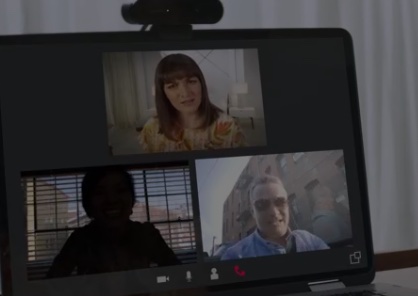
A good webcam can make the difference between looking washed out and grainy or sharp, professional, and ready for prime time. Whether you’re working from home, streaming on Twitch, recording YouTube videos, teaching online, or simply trying to look better during Zoom meetings, upgrading to a 4K webcam can dramatically improve your setup.
Today’s best 4K webcams aren’t just about resolution, either. Many now feature large image sensors, HDR, AI-powered framing, autofocus, subject tracking, noise-reducing microphones, and software controls that can help you dial in a much more professional-looking image.
After comparing leading models and expert recommendations, we’ve narrowed the field down to the 10 best 4K webcams worth considering right now.
Best 4K Webcams at a Glance
| Webcam | Best For | Max Video |
|---|---|---|
| Logitech MX Brio | Best Overall | 4K/30fps |
| Insta360 Link 2C | Best Value Premium Webcam | 4K/30fps |
| OBSBOT Tiny 3 | Best AI Tracking Webcam | 4K/30fps |
| Dell UltraSharp WB7022 | Best for Professional Video Calls | 4K/30fps |
| Razer Kiyo V2 | Best for Streaming | 4K/30fps |
| YoloLiv YoloCam S3 | Best for Content Creators | 4K/30fps |
| OBSBOT Meet 2 | Best Compact 4K Webcam | 4K/30fps |
| Razer Kiyo Pro Ultra | Best Image Quality | 4K/30fps |
| EMEET PIXY | Best Dual-Camera PTZ Webcam | 4K |
| Logitech Brio 4K | Best Proven 4K Webcam | 4K/30fps |
1. Logitech MX Brio — Best 4K Webcam Overall
If you want one webcam that can handle almost everything, the Logitech MX Brio is an easy recommendation.
It records in 4K Ultra HD at 30fps and can deliver 1080p at up to 60fps when smoother motion matters more than maximum resolution. Its Sony STARVIS-based imaging system produces excellent detail while handling mixed and challenging lighting surprisingly well.
You also get selectable 65-, 78-, and 90-degree fields of view, making it easy to switch between a tightly framed business call and a wider shot for streaming or presentations.
Another useful feature is Logitech’s Show Mode, which makes it easier to tilt the camera downward when you need to show documents, sketches, products, or other objects on your desk.
Why We Like It
- Excellent 4K video quality
- Strong low-light performance
- 4K/30fps and 1080p/60fps
- Adjustable field of view
- Dual beamforming microphones
- Integrated privacy shutter
- Excellent software support
Best For
Remote professionals, executives, streamers, educators, and anyone looking for a premium all-around webcam.
Amazon: Check Logitech MX Brio on Amazon
2. Insta360 Link 2C — Best 4K Webcam for Most People
The Insta360 Link 2C manages to pack excellent image quality and useful AI tools into a surprisingly compact body.
Its 1/2-inch sensor captures detailed 4K video at 30fps, while features such as autofocus, HDR, background blur, whiteboard recognition, and intelligent framing make it especially versatile for remote work and content creation.
Unlike Insta360’s motorized Link models, the Link 2C doesn’t physically pan and tilt to follow you. That helps keep the price and size down, while software-based AI framing can still keep you properly positioned during calls.
The built-in physical privacy shutter is another welcome touch for anyone keeping a webcam permanently mounted on a monitor.
Why We Like It
- Sharp 4K image quality
- Large 1/2-inch sensor
- Excellent autofocus
- HDR support
- AI framing
- Whiteboard and presentation features
- Physical privacy protection
- Compact design
Best For
Remote workers, creators, teachers, and buyers who want premium video quality without paying for a motorized tracking system.
Amazon: Check Insta360 Link 2C on Amazon
3. OBSBOT Tiny 3 — Best 4K AI Tracking Webcam
If you move around while presenting, streaming, or teaching, the OBSBOT Tiny 3 is one of the most capable webcams you can buy.
Unlike fixed webcams, the Tiny 3 uses a motorized pan-tilt-zoom system combined with AI tracking to physically follow you around the room.
It can record 4K video at 30fps and jump all the way to 1080p at up to 120fps, which is impressive for a webcam this small.
OBSBOT also upgraded the audio system with three built-in microphones and multiple pickup modes. That makes the Tiny 3 unusually capable for users who want a clean desk setup without immediately adding an external microphone.
Why We Like It
- Excellent 4K video
- Motorized PTZ tracking
- Advanced AI subject tracking
- 1080p up to 120fps
- Strong low-light capabilities
- Three-microphone array
- Gesture and voice controls
- Extremely compact design
Best For
Presenters, instructors, streamers, YouTubers, and anyone who frequently moves while on camera.
Amazon: Check OBSBOT Tiny 3 on Amazon
4. Dell UltraSharp WB7022 — Best 4K Webcam for Professional Meetings
Dell designed the UltraSharp WB7022 with business users in mind, and it shows.
Its large Sony STARVIS CMOS sensor captures 4K UHD at up to 30fps and 1080p at up to 60fps. HDR and noise-reduction processing help keep faces properly exposed when your office lighting isn’t ideal.
You can choose between 65-, 78-, and 90-degree fields of view, while AI-powered auto framing can keep you centered.
One important limitation: the Dell UltraSharp doesn’t include a built-in microphone. That’s actually fine for many professional setups where a headset or dedicated microphone is already being used, but it’s something to know before buying.
Why We Like It
- Excellent professional-looking image
- Large Sony STARVIS sensor
- 4K/30fps
- 1080p/60fps
- HDR
- AI auto framing
- Multiple field-of-view options
- Premium aluminum construction
Best For
Executives, corporate users, home offices, and professional conference setups.
Amazon: Check Dell UltraSharp WB7022 on Amazon
5. Razer Kiyo V2 — Best 4K Webcam for Streaming
The Razer Kiyo V2 brings many of Razer’s creator-focused features into a more accessible 4K webcam.
It records at 4K/30fps or 1080p/60fps, making it flexible enough for Twitch streams, YouTube recordings, Discord calls, and everyday video conferencing.
Image processing does a particularly good job with automatic exposure and white balance, which matters when your lighting changes throughout the day.
Razer also includes a physical privacy shutter and extensive software controls through Razer Synapse.
One thing to remember is that the Kiyo V2 relies on USB-C connectivity for full-resolution performance.
Why We Like It
- Detailed 4K/30fps recording
- 1080p/60fps option
- Strong automatic exposure
- Good white balance
- HDR capabilities
- Built-in privacy shutter
- Extensive software controls
Best For
Gamers, Twitch streamers, YouTubers, and content creators.
Amazon: Check Razer Kiyo V2 on Amazon
6. YoloLiv YoloCam S3 — Best 4K Webcam for Content Creators
The YoloCam S3 is a compelling choice for creators who care more about image quality than extra bells and whistles.
Its standout feature is the relatively large 1/1.28-inch sensor, which helps produce clean, detailed images and stronger low-light performance.
The camera records in 4K at 30fps and 1080p at up to 60fps. It also features an f/1.85 aperture, HDR, autofocus, an 82-degree field of view, and 4x digital zoom.
YoloLiv’s Compose software provides deeper control over exposure, white balance, saturation, contrast, sharpness, and even real-time color grading.
Why We Like It
- Large 1/1.28-inch sensor
- Crisp 4K video
- Fast autofocus
- Good low-light performance
- HDR
- Excellent manual image controls
- Real-time color adjustment tools
Best For
YouTube creators, podcasters, streamers, product reviewers, and creators who enjoy manually tuning their image.
Amazon: Check YoloLiv YoloCam S3 on Amazon
7. OBSBOT Meet 2 — Best Compact 4K Webcam
The OBSBOT Meet 2 proves that a premium 4K webcam doesn’t have to take over the top of your monitor.
At only around 40 grams, it’s exceptionally compact while still packing a 1/2-inch sensor, 4K video, autofocus, HDR, AI framing, gesture controls, and dual microphones.
Unlike the Tiny 3, the Meet 2 doesn’t use a motorized gimbal. Instead, it uses intelligent digital framing to keep you centered.
That makes it especially useful for travelers and hybrid workers who regularly move between home, the office, hotel rooms, and coworking spaces.
Why We Like It
- Extremely compact
- 4K resolution
- 1/2-inch sensor
- Effective autofocus
- AI framing
- HDR
- Gesture controls
- Easy magnetic mounting
Best For
Business travelers, hybrid workers, students, and anyone who wants a highly portable 4K webcam.
Amazon: Check OBSBOT Meet 2 on Amazon
8. Razer Kiyo Pro Ultra — Best 4K Webcam for Image Quality
For pure image quality, the Razer Kiyo Pro Ultra remains a serious contender.
Its massive 1/1.2-inch Sony STARVIS 2 sensor is unusually large for a webcam. Combine that with an f/1.7 aperture, and you get excellent detail and impressive low-light performance.
It records at 4K/30fps and supports 1080p at 60fps. The adjustable 72- to 82-degree field of view gives you additional framing flexibility.
The Kiyo Pro Ultra is physically larger than many modern webcams, but the size makes more sense once you see the sensor and optics inside it.
Why We Like It
- Huge 1/1.2-inch sensor
- Excellent 4K picture
- Strong low-light performance
- Wide f/1.7 aperture
- Natural background separation
- 4x digital zoom
- Adjustable field of view
- Physical privacy shutter
Best For
Serious streamers, creators, professionals, and users who prioritize image quality above portability.
Amazon: Check Razer Kiyo Pro Ultra on Amazon
9. EMEET PIXY — Best Dual-Camera AI PTZ Webcam
The EMEET PIXY takes a different approach to AI tracking by using a dual-camera design.
One camera handles the primary 4K image while the secondary AI-assisted camera helps with tracking and focus. Combined with its motorized gimbal, the system can follow a moving subject around the room.
You also get gesture controls, autofocus, presets, and three built-in microphones.
It’s especially appealing for creators who want PTZ tracking but are shopping outside the usual Insta360 and OBSBOT ecosystems.
Why We Like It
- 4K resolution
- Dual-camera system
- Sony image sensor
- Motorized PTZ tracking
- Fast autofocus
- Gesture control
- Three built-in microphones
- Good value for the feature set
Best For
Presenters, teachers, live streamers, product demonstrators, and creators who need automatic movement tracking.
Amazon: Check EMEET PIXY on Amazon
10. Logitech Brio 4K — Best Tried-and-True 4K Webcam
The original Logitech Brio 4K has been around for years, but there’s a reason Logitech continues selling it: it’s still a solid webcam.
It supports 4K at 30fps, 1080p at up to 60fps, HDR, autofocus, and multiple fields of view.
It doesn’t have the sophisticated AI tracking of newer models such as the OBSBOT Tiny 3, but it remains an appealing option if you want dependable 4K video without paying for features you may never use.
Compatibility is another major strength. The Brio works well across common platforms including Zoom, Microsoft Teams, Google Meet, Windows, and macOS.
Why We Like It
- Proven 4K performance
- 1080p/60fps
- HDR
- Autofocus
- Multiple fields of view
- Broad software compatibility
- Mature Logitech ecosystem
Best For
Remote workers and business users who want a reliable, straightforward 4K webcam.
Amazon: Check Logitech Brio 4K on Amazon
How to Choose the Best 4K Webcam
Buying the most expensive webcam doesn’t automatically guarantee the best experience. Consider how you actually plan to use it.
Image Sensor Size
Resolution gets most of the attention, but sensor size can matter just as much.
A larger sensor generally captures more light, which can produce cleaner images in poorly lit rooms. Models such as the Razer Kiyo Pro Ultra and YoloCam S3 are particularly strong in this area.
4K vs. 1080p
4K is especially useful when:
- Recording YouTube videos
- Cropping into footage
- Streaming high-quality content
- Showing products or documents
- Creating professional video
- Using digital zoom
For ordinary Zoom or Teams meetings, 1080p may still be sufficient because many conferencing platforms don’t transmit full 4K video.
Frame Rate
Most 4K webcams record 4K at 30fps.
If smooth motion matters more than resolution, look for a webcam capable of 1080p at 60fps or higher.
For example, the OBSBOT Tiny 3 can reach 1080p at up to 120fps, while several other cameras on this list support 1080p/60fps.
AI Tracking
AI tracking is particularly useful if you:
- Teach online
- Give presentations
- Demonstrate products
- Stream while standing
- Move around during recordings
A motorized PTZ camera such as the OBSBOT Tiny 3 or EMEET PIXY can physically move to follow you, while fixed cameras typically rely on digital cropping.
Microphone Quality
Built-in webcam microphones are convenient, but serious streamers and content creators will usually get significantly better sound from a dedicated USB or XLR microphone.
For Zoom meetings and casual calls, however, a good built-in microphone may be all you need.
Privacy
If your webcam stays permanently attached to your computer, consider choosing one with a physical privacy shutter.
A physical shutter provides an immediate visual indication that the lens is blocked.
See more: 10 Best Waterproof E-Reader
Which 4K Webcam Should You Buy?
For most buyers, the Logitech MX Brio offers the best combination of image quality, reliability, software support, microphones, and professional features.
If you want something smaller and more affordable while still getting excellent 4K quality, the Insta360 Link 2C is an outstanding alternative.
For presentations and streaming where you move around frequently, we’d choose the OBSBOT Tiny 3 because its motorized AI tracking can keep you in frame automatically.
Content creators looking for outstanding sensor performance should also consider the YoloCam S3 or Razer Kiyo Pro Ultra.
Our Top Picks
Best Overall: Logitech MX Brio
Best for Most People: Insta360 Link 2C
Best AI Tracking: OBSBOT Tiny 3
Best for Business: Dell UltraSharp WB7022
Best for Streaming: Razer Kiyo V2
Best Image Quality: Razer Kiyo Pro Ultra
Best Compact Option: OBSBOT Meet 2
No matter which one you choose, any of these models can provide a major visual upgrade over the webcam built into a typical laptop.
Frequently Asked Questions
Is a 4K webcam worth it?
Yes, especially for content creation, streaming, recording, presentations, digital zoom, and professional video. For basic video meetings, however, a good 1080p webcam may be enough.
Can Zoom use a 4K webcam?
You can use a 4K webcam with Zoom, but Zoom may transmit the call at a lower resolution depending on your account, settings, bandwidth, and meeting configuration.
The higher-resolution sensor can still help with image processing, framing, cropping, and overall image quality.
Is 4K 30fps better than 1080p 60fps?
It depends on the application.
Choose 4K/30fps when you prioritize detail and resolution.
Choose 1080p/60fps when smoother movement is more important, such as gaming streams or demonstrations involving frequent motion.
What is the best 4K webcam for streaming?
The Razer Kiyo V2, OBSBOT Tiny 3, Logitech MX Brio, and Razer Kiyo Pro Ultra are all strong streaming options.
The best choice depends on whether you prioritize image quality, AI tracking, frame rate, or price.
What is the best 4K webcam for Zoom meetings?
The Logitech MX Brio, Dell UltraSharp WB7022, and Insta360 Link 2C are particularly good choices for professional video meetings.
What is the best 4K webcam with AI tracking?
The OBSBOT Tiny 3 is our top choice for AI tracking because its motorized PTZ system can physically follow a moving subject instead of relying entirely on digital cropping.
Final Verdict
The webcam market has changed dramatically. A premium webcam can now deliver sharp 4K video, intelligent framing, strong autofocus, HDR, excellent low-light performance, and even automated subject tracking from a device small enough to sit on top of your monitor.
For the best overall experience, start with the Logitech MX Brio.
For a compact premium option, choose the Insta360 Link 2C.
And if intelligent movement tracking is your priority, the OBSBOT Tiny 3 is one of the most advanced 4K webcams available today.

The BestConsumerGuides team is dedicated to delivering unbiased, research-driven product reviews. We analyze features, benefits, pricing, and real-world performance to help consumers make informed purchasing decisions. Our mission is to simplify complex choices and provide clear, trustworthy guidance across health, wellness, and lifestyle products.